



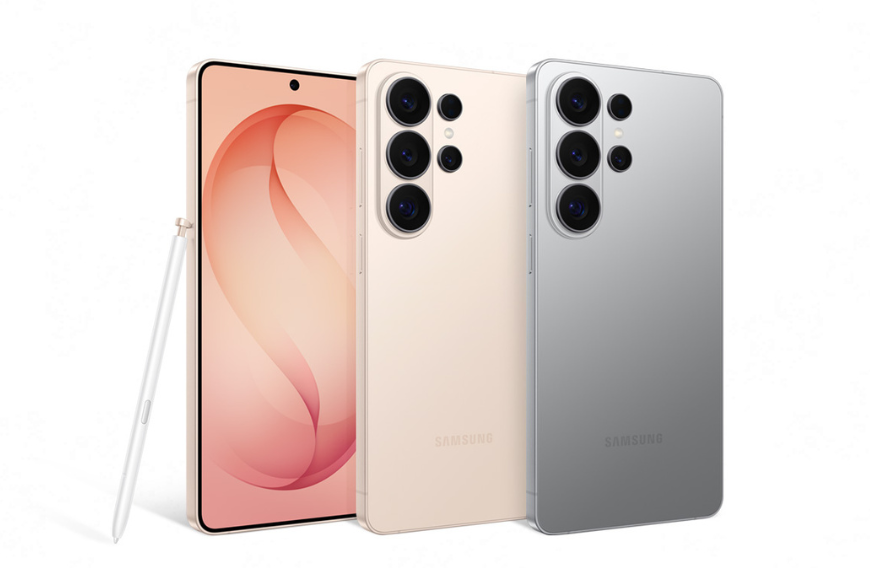
Samsung announced today that its Galaxy S26 Series is getting AirDrop support through the Quick Share feature. The feature will begin rolling out starting in Korea and expanding to more regions including Europe, Hong Kong, Japan, Latin America, North America, Southeast Asia, and Taiwan. Expansion to additional devices will be announced at a later date.
Google first introduced the Quick Share feature on its Pixel 10 phones last year and, in February, shared plans to increase the number of devices included. This setting allows Android users to send and receive photos and files from an Apple device, the same way two Apple users do with AirDrop. To get media from an iPhone, Android users need to turn visibility settings onto “everyone for 10 minutes.”
READ: Samsung to double AI mobile production to 800 million (January 5, 2026)
Quick Share and AirDrop perform essentially the same function but on distinctly separate platforms (Android and iOS, respectively). Both of these let users quickly transfer files, photos, and videos wirelessly from one phone to another, using Bluetooth and Wi-Fi to establish an ad-hoc connection.
This update will work for Galaxy S26, S26 Plus, and S26 Ultra phones. With this, Samsung is now the second Android smartphone brand to offer native AirDrop support on its devices, after Google developed its own Android interoperability solution for AirDrop last year without Apple’s involvement. That support came to the Pixel 10 series in November 2025, and later to the Pixel 9 series in February.
Google had announced in November last year that it engineered the inoperability, and introduced AirDrop support to its Pixel phones. “This feature does not use a workaround; the connection is direct and peer-to-peer, meaning your data is never routed through a server, shared content is never logged, and no extra data is shared,” a post on Google’s security blog said. Spokesperson Alex Moriconi stressed that this was done without Apple’s involvement.
READ: China’s ByteDance partners with Samsung to develop AI chip (February 11, 2026)
“We accomplished this through our own implementation,” Moriconi told The Verge. “Our implementation was thoroughly vetted by our own privacy and security teams, and we also engaged a third-party security firm to pen-test the solution.”
AirDrop support is not enabled by default for Samsung Galaxy devices. Users can enable it by opening the Settings menu and tapping Connected devices > Quick Share > Share with Apple devices. A toggle to enable AirDrop will then appear, alongside information notifying the user that both the Apple and Samsung devices need to have their sharing settings set to “Everyone” mode in order to transfer files between each other.